Anleitung

So nutzt du Google Apps Script Copilot.

Eine praktische Anleitung, um das Beste aus deinem KI-Coding-Assistenten herauszuholen: Installation, die vier wichtigsten Funktionen und gute Gewohnheiten.

Erste Schritte

Installieren, anmelden, in 90 Sekunden loslegen.

Zwei Schritte. Keine Konfigurationsdateien. Keine CLI. Dein bestehendes Google-Konto erledigt den Rest.

Installation und Einrichtung

Install the Google Apps Script Copilot extension from the Chrome Web Store and sign in with the same Google account you use for Apps Script.

So geht es
  1. Open the Chrome Web Store listing and add Google Apps Script Copilot to Chrome.
  2. Anmelden with the Google account that owns your Apps Script projects.
  3. Open script.google.com and refresh the editor once after installing.
Merken
  • Nutze das Google-Konto, dem deine Apps Script-Projekte gehoren
  • Erteile die angefragten Berechtigungen, damit das IDE-Panel geladen wird
  • Pinne die Erweiterung an die Toolbar, um das Laden zu bestatigen

Erstes Projekt einrichten

Offne ein Apps Script-Projekt oder erstelle eines. Copilot zeigt beim Laden ein Seitenpanel in der IDE.

So geht es
  1. Open an existing Apps Script project or create a blank one.
  2. Wait for the Copilot panel to appear inside the editor.
  3. Ask a small first question, such as explaining the active file.
Merken
  • Starte mit einem kleinen Projekt, um den Kontext zu sehen
  • Halte Dateinamen beschreibend - Copilot nutzt sie fur Kontext
  • Speichere beim Experimentieren oft; Apps Script behalt Versionen
Kernfunktionen

Die vier Dinge, die du jeden Tag nutzt.

Master these and you've mastered Copilot. Each workflow is explained in plain steps so you can try it immediately.

Chatmodus

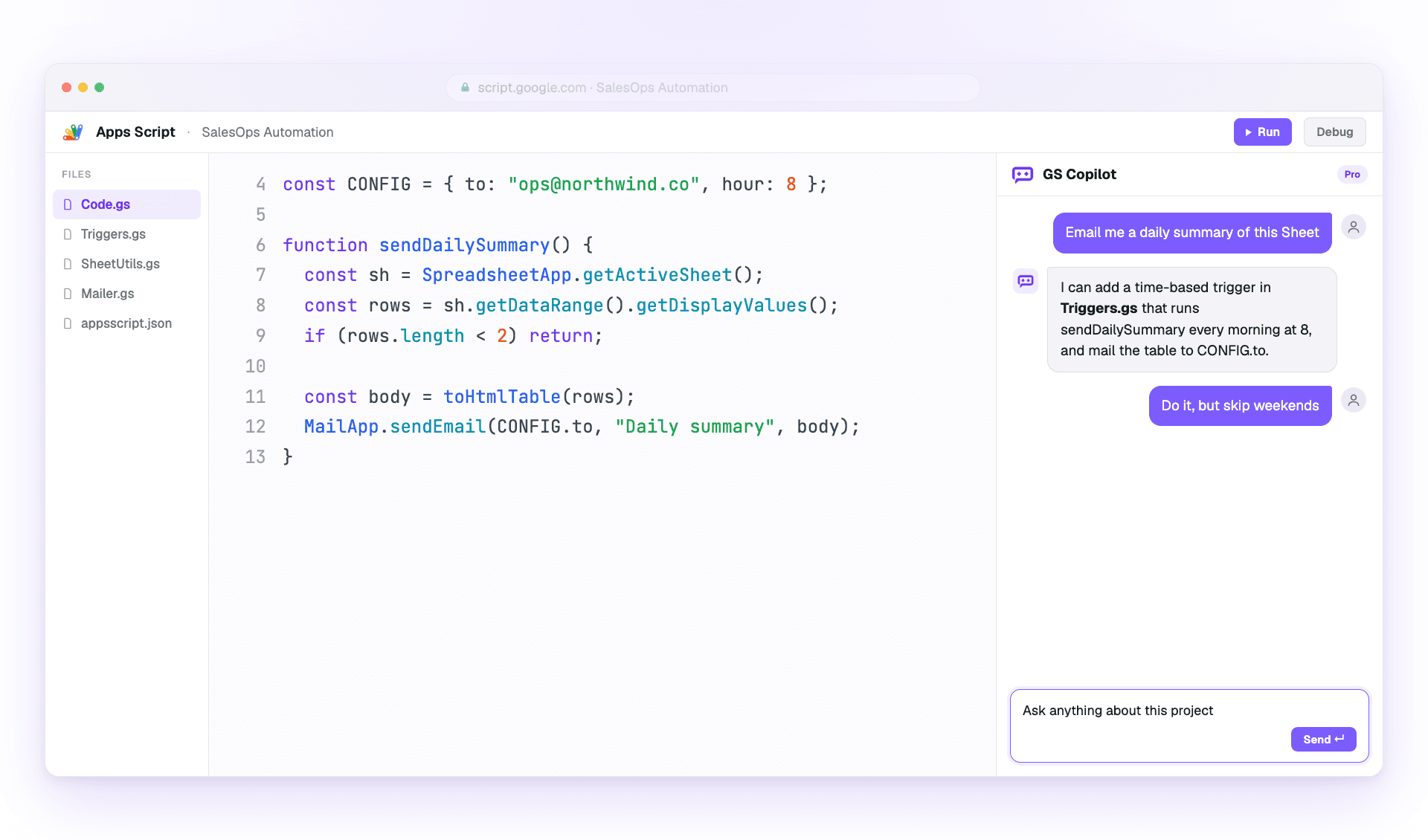
Use the side panel to ask questions, debug errors, and request changes with project context already attached.

So geht es
  1. Open the Copilot panel beside your code.
  2. Describe the outcome you want in one or two sentences.
  3. Review the answer, then ask a follow-up or apply the suggested change.
Merken
  • Sag genau, was du andern willst
  • Verweise auf Funktionsnamen statt Code einzufugen
  • Use follow-ups; Copilot remembers the thread

Inline-Vorschlage

Get ghost-text suggestions while you type, then accept only the parts that help.

So geht es
  1. Place your cursor where the next code should go.
  2. Pause briefly so Copilot can read the surrounding context.
  3. Press Tab to accept or Esc to dismiss the suggestion.
Merken
  • Halte den Cursor am Zeilenende für den besten Kontext
  • Write a short comment first when the next step is complex
  • Reject suggestions freely when they do not match your intent

Multi-Datei-Kontext

Attach the files that matter so Copilot understands triggers, helpers, libraries, and connected services.

So geht es
  1. Open the context picker in the panel.
  2. Add the files involved in the task you are working on.
  3. Remove files that no longer matter before asking the next question.
Merken
  • Include only the files the task wirklich touches
  • Keep file names descriptive for better grounding
  • Pin important files when you want them kept across the session

Chatverlauf und Zweige

Return to saved project conversations or branch from an earlier message when you want to try a different fix.

So geht es
  1. Open chat history from the Copilot panel.
  2. Select the conversation that matches the project or bug.
  3. Fork from an older message before testing a different approach.
Merken
  • Name important threads so they are easier to find
  • Fork before trying risky changes
  • Reuse a successful thread on similar bugs
Best Practices

Schneller liefern, ohne Fehler zu liefern.

So holen erfahrene Nutzer mehr aus Copilot heraus und halten Code reviewbar.

Effektives Prompting

Give Copilot the goal, the constraints, and the exact service you are using.

So geht es
  1. Start with the outcome you want.
  2. Add the current error, file, function, or data shape.
  3. Ask for code plus a short explanation when the change is important.
Merken
  • Beginne mit dem Ergebnis, nicht mit der Umsetzung
  • Nenne Fehlermeldungen beim Debuggen wortwörtlich
  • Specify the service: SpreadsheetApp, DriveApp, or GmailApp
  • Frage nach Erklärungen zusätzlich zum Code

Codequalitat und Sicherheit

Treat AI output like a teammate's draft: useful, fast, and worth reviewing before it ships.

So geht es
  1. Read the generated code before applying it.
  2. Run the smallest safe test you can.
  3. Move secrets into PropertiesService instead of prompts or source code.
Merken
  • Teste zuerst an einer Kopie des Sheets
  • Validate every external input from forms or URL params
  • Keep changes small enough to review
  • Never paste secrets into a prompt