How do you send an HTML email with GmailApp in Apps Script?
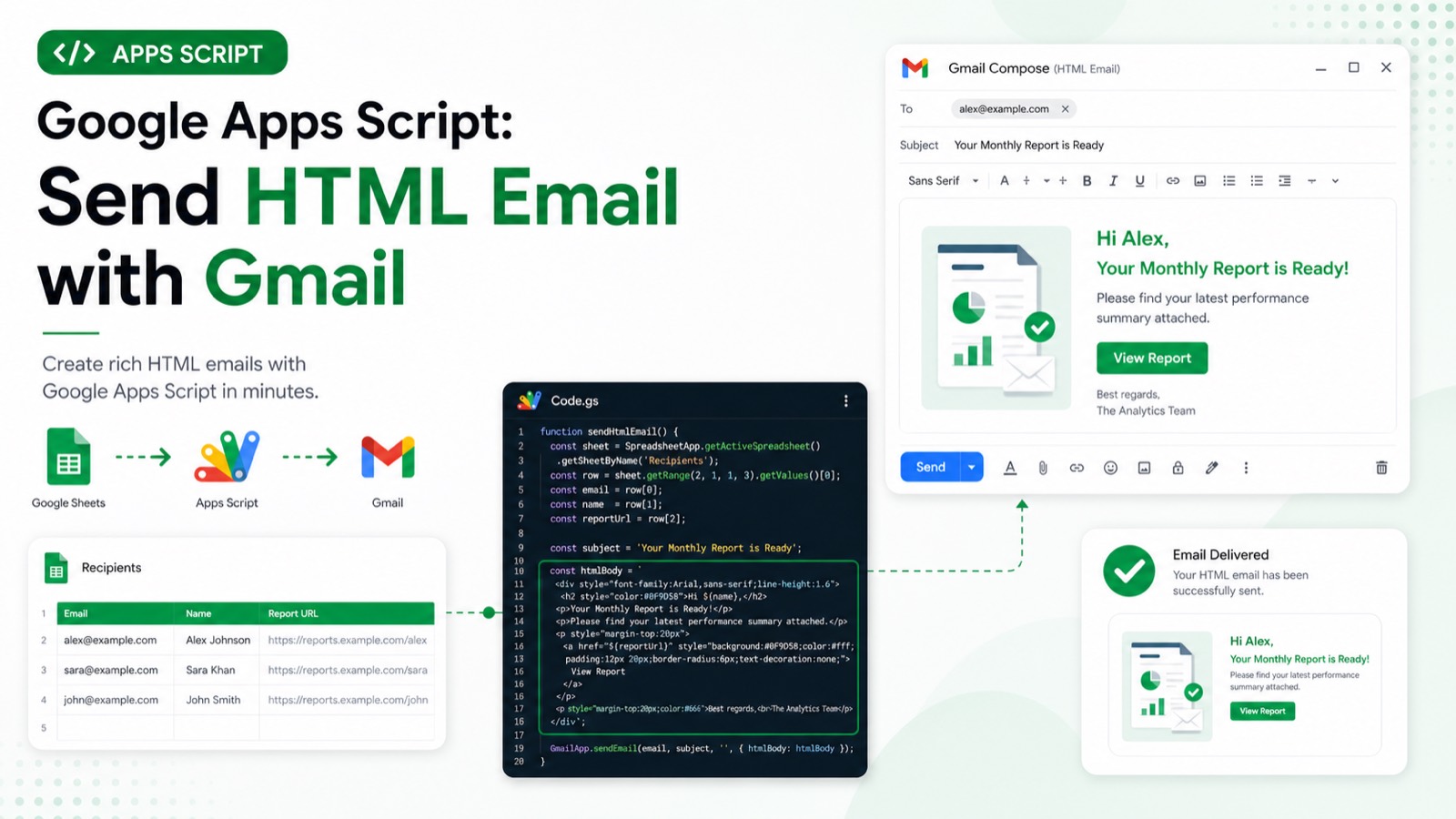
Call GmailApp.sendEmail with a plain-text body and an options object containing htmlBody. Keep a plain-text fallback, validate the recipient before sending, and test with a controlled address first. The script requires Gmail authorization, and Gmail sending quotas or an invalid recipient can stop delivery.
Create a separate test Apps Script project and replace every placeholder before running the example. Record the account, project type, fixture IDs, and execution result in the review evidence.
function sendHtmlReport() {
  const to = 'recipient@example.com';
  if (!/^[^\s@]+@[^\s@]+\.[^\s@]+$/.test(to)) throw new Error('Invalid recipient');
  GmailApp.sendEmail(to, 'Weekly report', 'Your email client does not support HTML.', {
    htmlBody: '<h1>Weekly report</h1><p>Your report is ready.</p>',
    name: 'Reports Bot',
  });
  console.log('Sent to ' + to);
}
Logs Sent to <recipient> after Gmail accepts the send request. Replace recipient@example.com with a real address first; example.com does not receive mail.
Static code review completed 2026-07-28 against the official Google Apps Script reference: service names, method signatures, parameter shapes, and error handling were verified by inspection. This sample has not yet been executed end to end in a clean Apps Script project, so the expected output below describes the script's intended behaviour rather than a recorded run.
#Tutorial#Google Apps Script#Gmail
Review & sources
This article was substantively reviewed by Hassan Raza on July 28, 2026; test date 2026-07-28 00:00:00.000Z; environment: Clean Apps Script test project (user-confirmed).
Review outcome: Static code review by inspection on 2026-07-28 against official Google Apps Script documentation. Not executed in a clean project; execution evidence pending.
Required scopes: https://mail.google.com/.
Expected output: Logs `Sent to <recipient>` after Gmail accepts the send request. Replace recipient@example.com with a real address first; example.com does not receive mail.
Failure cases: Invalid addresses, missing Gmail authorization, exceeded daily recipient quota, and Gmail policy restrictions can block sending.