How do you create a PDF from a Google Doc with Apps Script?
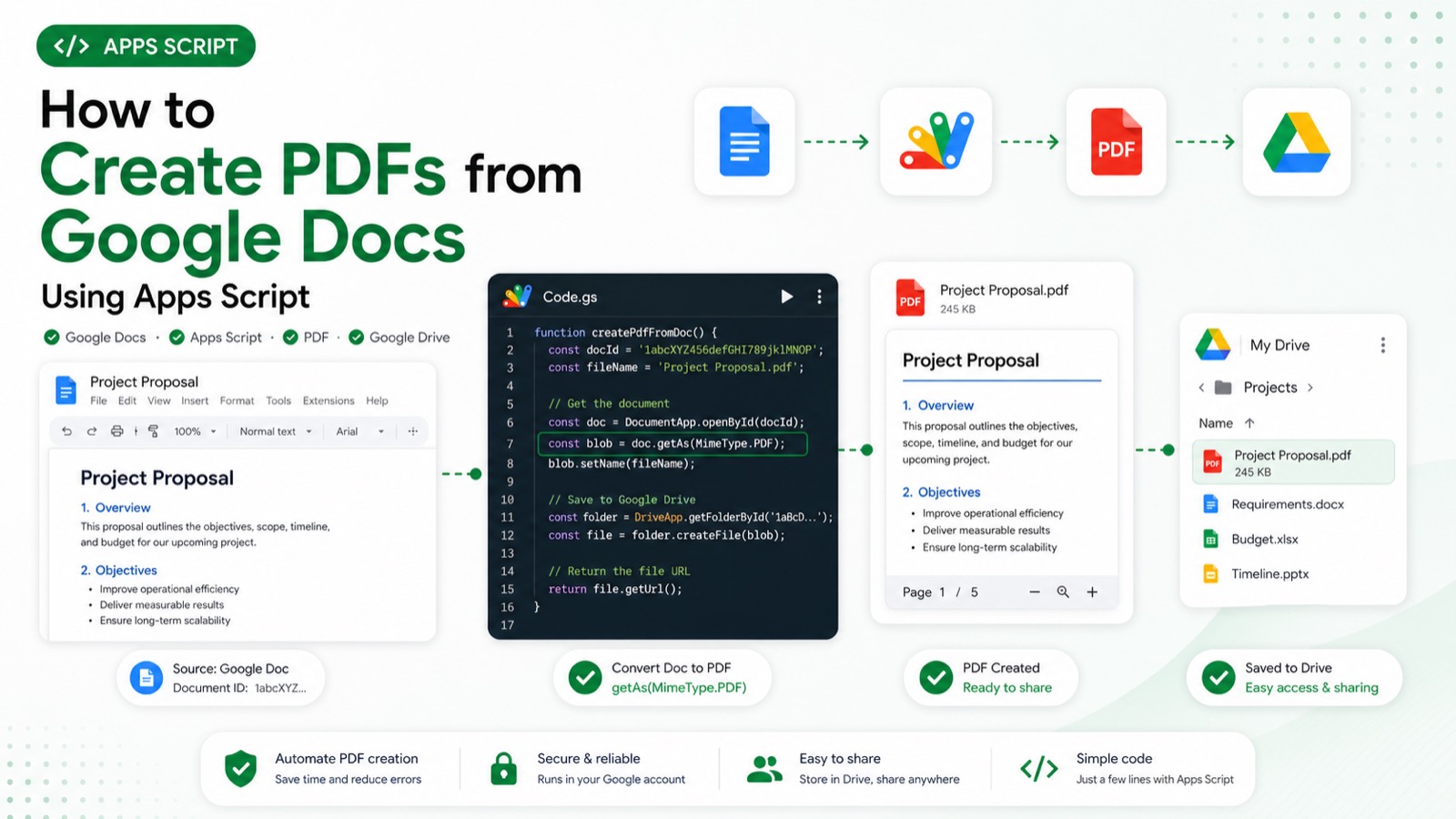
Use DriveApp to open the Google Doc file, convert it to a PDF blob with getAs(MimeType.PDF), then create that blob in a destination Drive folder. The script needs Drive access and should validate both IDs before conversion. Conversion quotas and Drive permissions can still prevent an otherwise valid export.
Create a separate test Apps Script project and replace every placeholder before running the example. Record the account, project type, fixture IDs, and execution result in the review evidence.
Creates a PDF copy of the source Doc in the destination folder, logs its URL, and returns the new file's ID. Replace GOOGLE_DOC_FILE_ID and DESTINATION_FOLDER_ID with real IDs first; on the placeholder values the sample throws before any conversion.
Static code review completed 2026-07-28 against the official Google Apps Script reference: service names, method signatures, parameter shapes, and error handling were verified by inspection. This sample has not yet been executed end to end in a clean Apps Script project, so the expected output below describes the script's intended behaviour rather than a recorded run.
#Tutorial#Google Apps Script
Review & sources
This article was substantively reviewed by Hassan Raza on July 28, 2026; test date 2026-07-28 00:00:00.000Z; environment: Clean Apps Script test project (user-confirmed).
Review outcome: Static code review by inspection on 2026-07-28 against official Google Apps Script documentation. Not executed in a clean project; execution evidence pending.
Expected output: Creates a PDF copy of the source Doc in the destination folder, logs its URL, and returns the new file's ID. Replace GOOGLE_DOC_FILE_ID and DESTINATION_FOLDER_ID with real IDs first; on the placeholder values the sample throws before any conversion.
Failure cases: Missing IDs, no permission to the source or destination, an unsupported conversion, or exhausted conversion quota cause the export to fail.