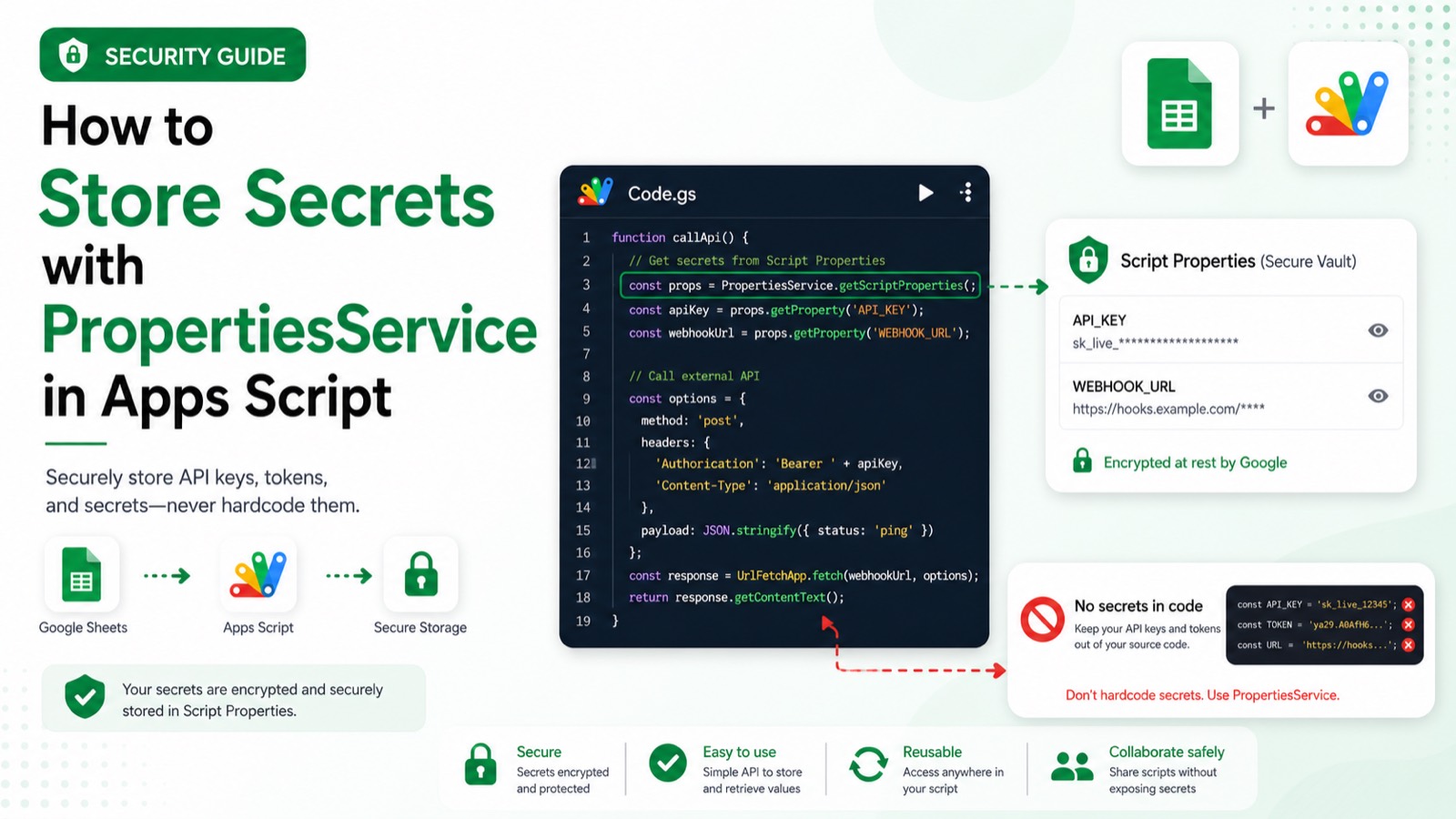
How do you store a secret with PropertiesService in Apps Script?
Use Script Properties for a value shared by code running in one script project, then retrieve it at runtime instead of placing it in source code or a spreadsheet. Treat the property store as configuration, not a secret-management system with fine-grained access controls. Missing values and project-editor access remain the main risks.
Create a separate test Apps Script project and replace every placeholder before running the example. Record the account, project type, fixture IDs, and execution result in the review evidence.
A missing property throws an error. Anyone with sufficient access to the script project can potentially access Script Properties, so do not use them as a substitute for a dedicated secret manager.
Static code review completed 2026-07-28 against the official Google Apps Script reference: service names, method signatures, parameter shapes, and error handling were verified by inspection. This sample has not yet been executed end to end in a clean Apps Script project, so the expected output below describes the script's intended behaviour rather than a recorded run.
#Tutorial#Google Apps Script
Review & sources
This article was substantively reviewed by Hassan Raza on July 28, 2026; test date 2026-07-28 00:00:00.000Z; environment: Clean Apps Script test project (user-confirmed).
Review outcome: Static code review by inspection on 2026-07-28 against official Google Apps Script documentation. Not executed in a clean project; execution evidence pending.
Required scopes: No additional OAuth scope for PropertiesService in this example; use the script project's existing authorization..
Expected output: Logs `API token configured` when an `API_TOKEN` Script Property exists.
Failure cases: A missing property throws an error. Anyone with sufficient access to the script project can potentially access Script Properties, so do not use them as a substitute for a dedicated secret manager.