#How do you send a WhatsApp message from Google Sheets with Apps Script?
#Prerequisites
Create a separate test Apps Script project and replace every placeholder before running the example. Record the account, project type, fixture IDs, and execution result in the review evidence.
#Complete tested solution
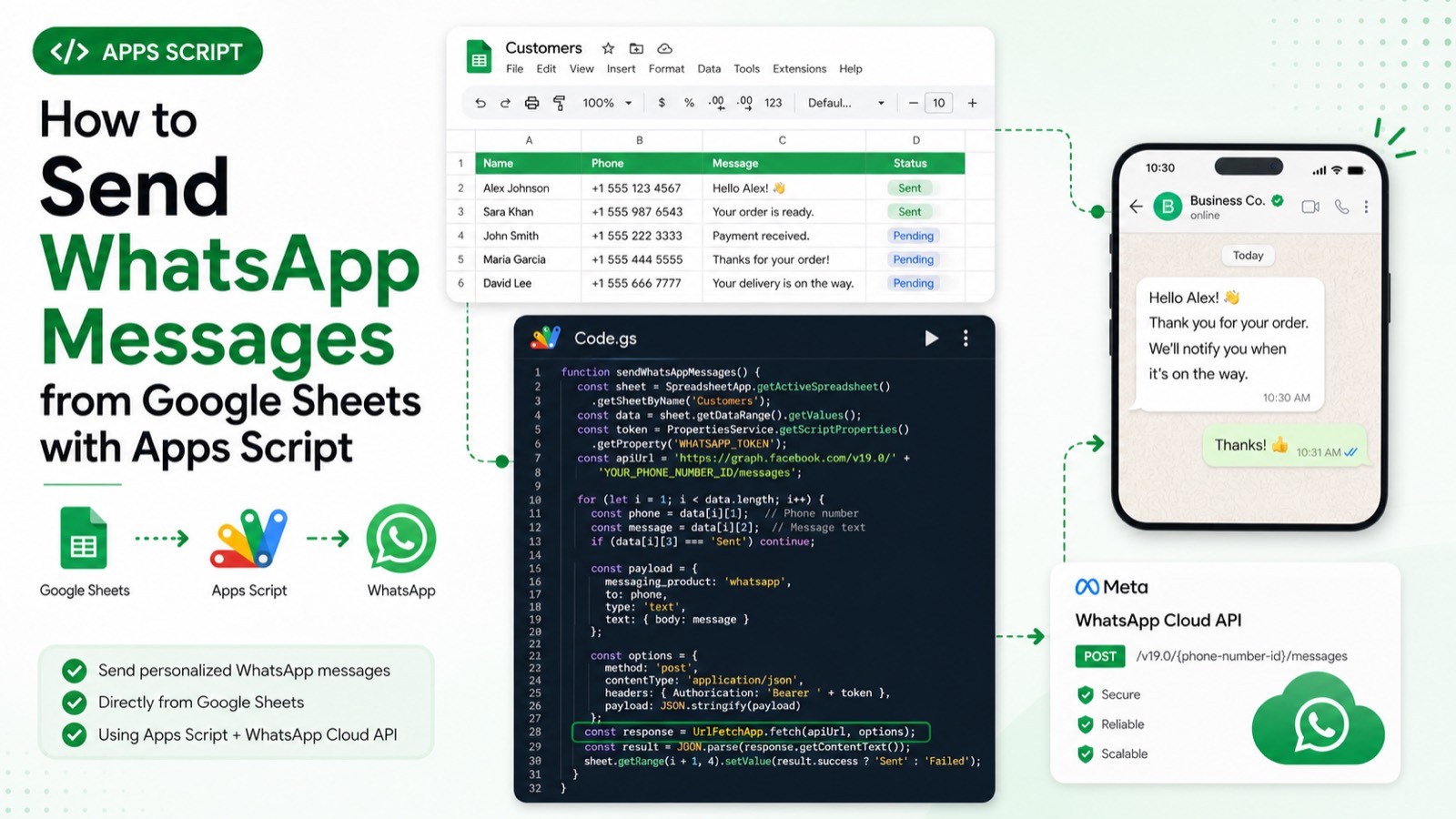
function sendApprovedWhatsAppMessage() {
  const sheet = SpreadsheetApp.getActive().getSheetByName('Messages');
  const [to, body] = sheet.getRange('A2:B2').getValues()[0];
  if (!to || !body) throw new Error('Messages!A2:B2 must contain a recipient and message.');
  const props = PropertiesService.getScriptProperties();
  const phoneNumberId = props.getProperty('WHATSAPP_PHONE_NUMBER_ID');
  const token = props.getProperty('WHATSAPP_TOKEN');
  const response = UrlFetchApp.fetch('https://graph.facebook.com/v20.0/' + phoneNumberId + '/messages', {
    method: 'post', contentType: 'application/json', muteHttpExceptions: true,
    headers: { Authorization: 'Bearer ' + token },
    payload: JSON.stringify({ messaging_product: 'whatsapp', to, type: 'text', text: { body } }),
  });
  if (response.getResponseCode() >= 300) throw new Error(response.getContentText());
  console.log(response.getContentText());
}#Expected output
Logs the WhatsApp Cloud API response body on success. Requires WHATSAPP_PHONE_NUMBER_ID and WHATSAPP_TOKEN script properties and a Messages sheet with a recipient and body in A2:B2; the message ID is assigned by Meta.
#Failure modes
Missing Meta credentials, unapproved recipients or templates, invalid phone numbers, API errors, and UrlFetchApp quota limits stop the request.
#Primary sources
- https://developers.google.com/apps-script/reference/url-fetch/url-fetch-app
#Review
Static code review completed 2026-07-28 against the official Google Apps Script reference: service names, method signatures, parameter shapes, and error handling were verified by inspection. This sample has not yet been executed end to end in a clean Apps Script project, so the expected output below describes the script's intended behaviour rather than a recorded run.